The LG G5 shows LG’s willingness to try something new with the phone’s modular design while sticking to its tried-and-true removable battery. Unfortunately, removing the removable battery isn’t as easy as it was in the G4, G3, G2, and Optimus G (the first phone in the series; LG dropped the “Optimus” label with the G2). Whereas in the G, G2, G3, and G4, LG made it so you could simply pop off the back cover, place a new battery in the slot, and then place the back cover on the phone again, the LG G5 doesn’t have a removable back cover: instead, it has a removable bottom portion where the front speaker is placed. This means that you must learn a different way of removing the battery in the LG G5 as opposed to previous models.
Fortunately, it isn’t too hard once you get the hang of it. To remove and replace your battery on the LG G5, perform the following steps:
- First, you’ll need to find the battery slot release button on the LG G5; you can find it right above the detachable bottom portion on the left hand side. The detachable portion of the phone is marked off with a line (called a gap) from the left to the right side of it, and the release button is to the left of the gap.


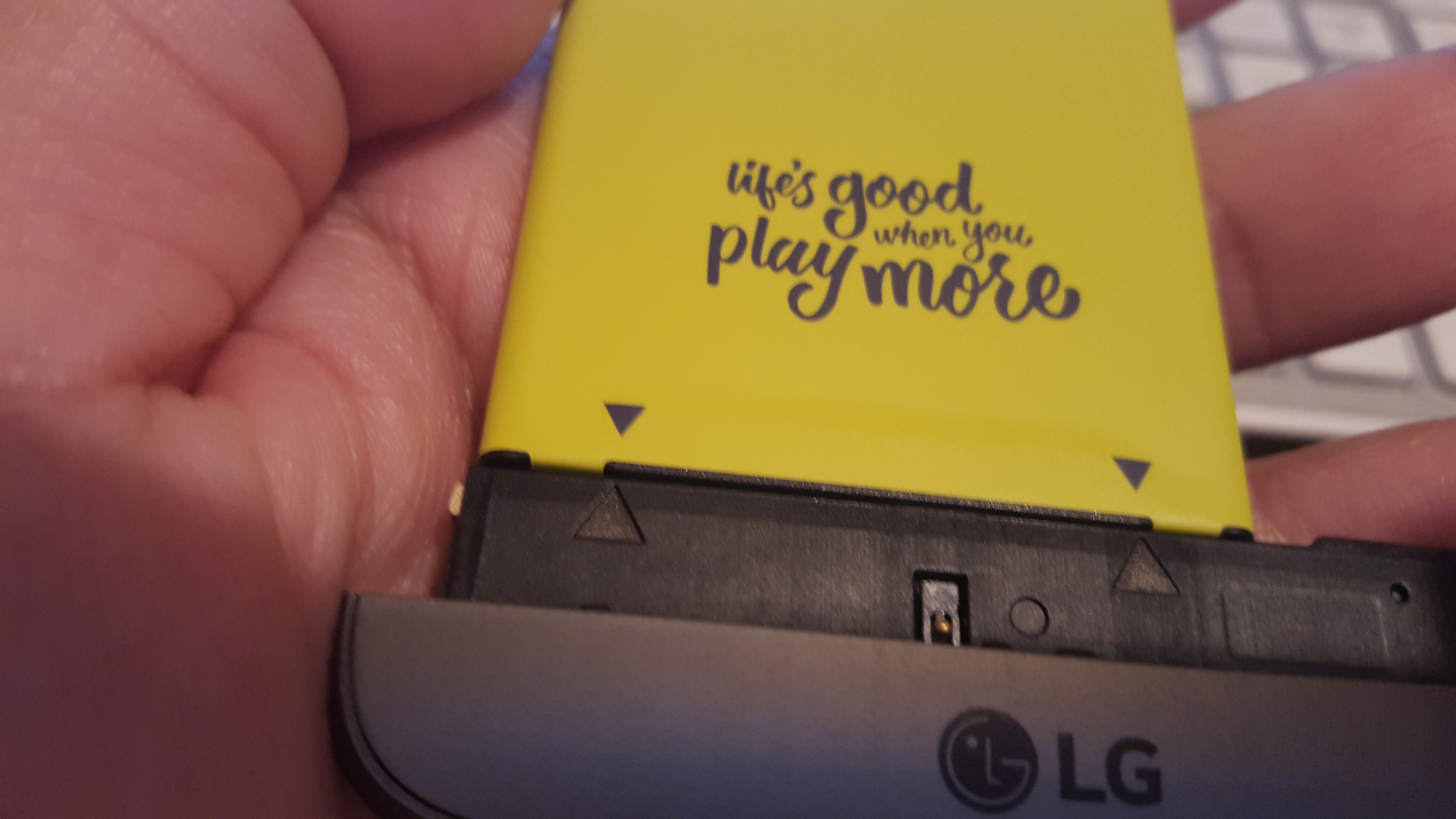
- Next, you’ll need to press the release button once, and let the button eject the detachable portion. You need only press it once; the eject function should do the rest. Then, slide out the module from the LG G5 and the light greenish battery should slide out, too. The battery says “Life is good when you play more,” showing LG’s slogan from its MWC 2016 announcement.

- Once you slide out the battery, you’ll now need to detach it from the detachable portion or module portion of the phone. To do this, you’ll need to try to pry the battery from the bottom modular portion. Now, you’ll feel as though you’re going to break the battery and the modular portion, but you won’t. Once it’s detached, you should have three pieces: the modular portion (which can attach other modules), the battery itself, as shown above, and the G5 display.
- Take the new battery and connect it to the modular piece. The easiest way to do this is to examine the bottom two pieces (black in color) on the bottom of the battery. One of the pieces is marked “B1.” The B1 piece goes into the larger slot on the top of the module; the other shorter piece goes into the shorter slot. You should hear the battery snap into place when connected to the module, and you should see the black triangles located at the bottom of the battery line up with the black triangles on the modular portion.


- Once you attach the new battery, you can then slide the battery and connected modular portion back into the LG G5 display. Power it on, and you’re ready to go.

Did this LG G5 tutorial help you remove and replace your battery? Would you like to see other tutorials like this in the future? If so, feel free to do your thing in the comments. And, while you’re at it, check out our LG G5 review.
Check replacement LG G5 replacement battery price on Amazon: